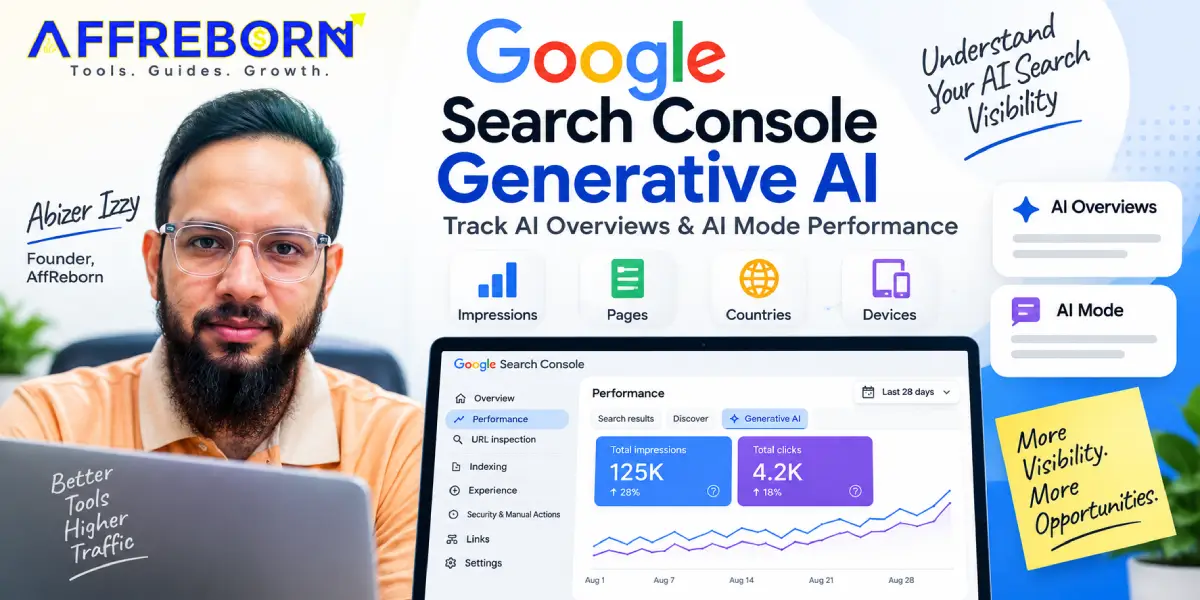
On August 31, 2026, Google rolled out its Google Search Console Generative AI performance reports to all websites worldwide. The new GSC AI report helps website owners analyze their sites’ visibility on Search and Discover.
The new generative AI performance report excludes other AI chatbots like ChatGPT, Gemini, Perplexity, etc., and is focused only on Google AI features.
This makes Google Search Console the best free website traffic checker tool for AI Overviews and Discover.
Let’s understand more about what the Google Search Console Generative AI report shows and how to leverage it.
Table of Contents
What Is Google Search Console Generative AI?
Google Search Console Generative AI is a free reporting tool by Google, along with traditional performance reports, that helps site owners track their site’s performance on generative AI search features.
The Generative AI Performance report currently includes:
- Google AI Overviews & AI Mode
- Google Discover
The AI report in GSC lets you view your site impressions on Google AI Overviews, AI Mode, and Discover. This option is available under the Performance tab on the left-side panel.
Are Search Labs experiments included in the Google Search Console Generative AI report?
No, they are not included, as the generative AI report is still rolled out to a subset of websites and will improve over time.
What Does the Google Search Console Generative AI Report Show?
Google says:
“To help you understand how pages from your site are shown, our new reports show the following information:
- Impressions: How often URLs from your site appeared in generative AI features in Search and Discover.
- Pages: Check which URLs appeared within AI features.
- Countries: Understand your visibility on a country basis.
- Devices: Identify the devices people are using when seeing your website (available for Search results).
- Dates: Monitor your performance over time with hourly, daily, weekly, and monthly granularity.”
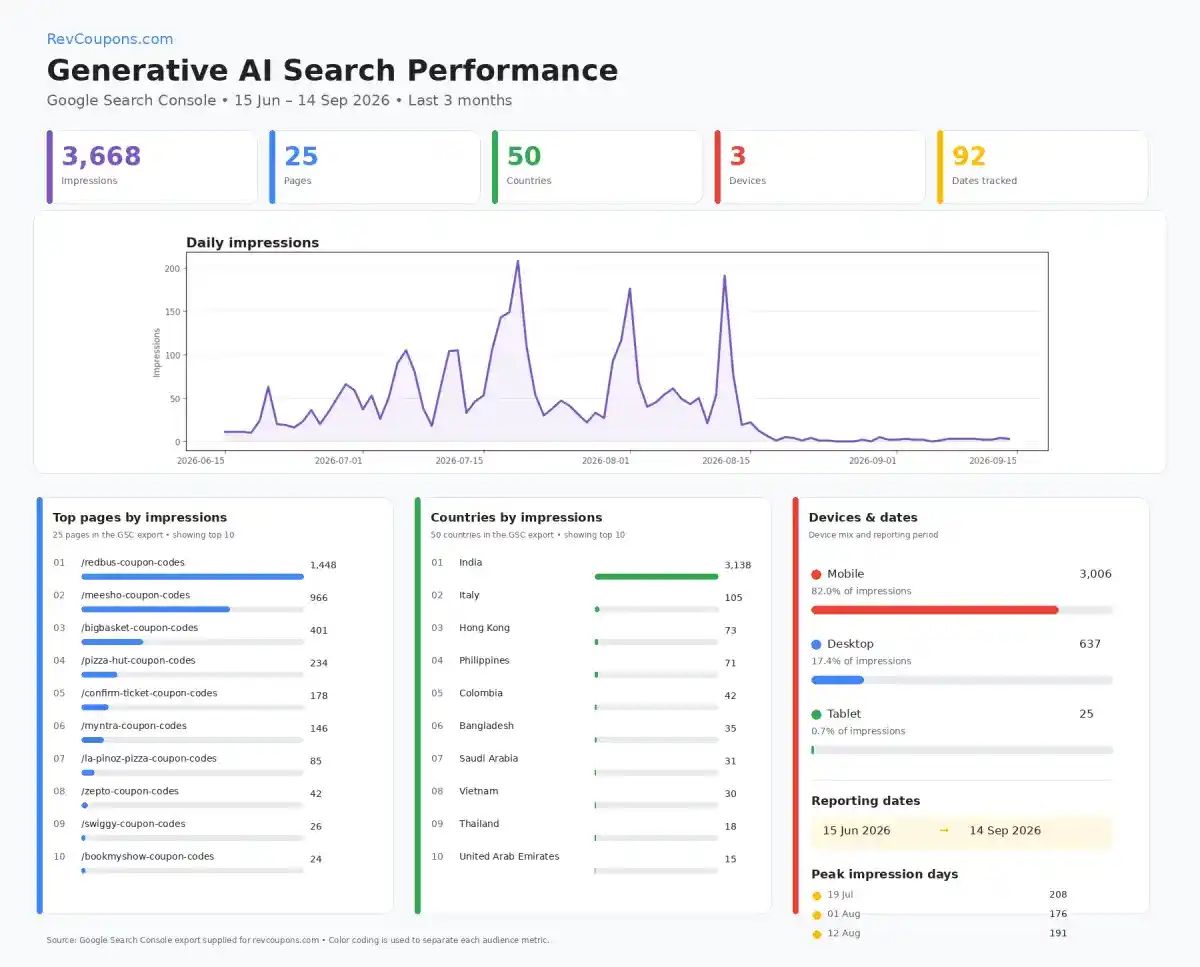
Let me show you the GSC AI report of one of my sites. This will help you understand what metrics you can measure in Google Search Console.
This image was generated by exporting the GSC AI report and feeding it to ChatGPT.
Why Can the Numbers Differ?
The chart and table may sometimes differ from each other because Google uses different aggregation methods.
How to Access the Google Search Console Generative AI Report?
If you are new to GSC, you will have to sign up and create a new account using your Gmail or any other email account.
Here’s a complete tutorial on how to sign up and add a property in Google Search Console.
➡️ Step 1: To check the AI report, go to the Performance tab and click on the Generative AI option.
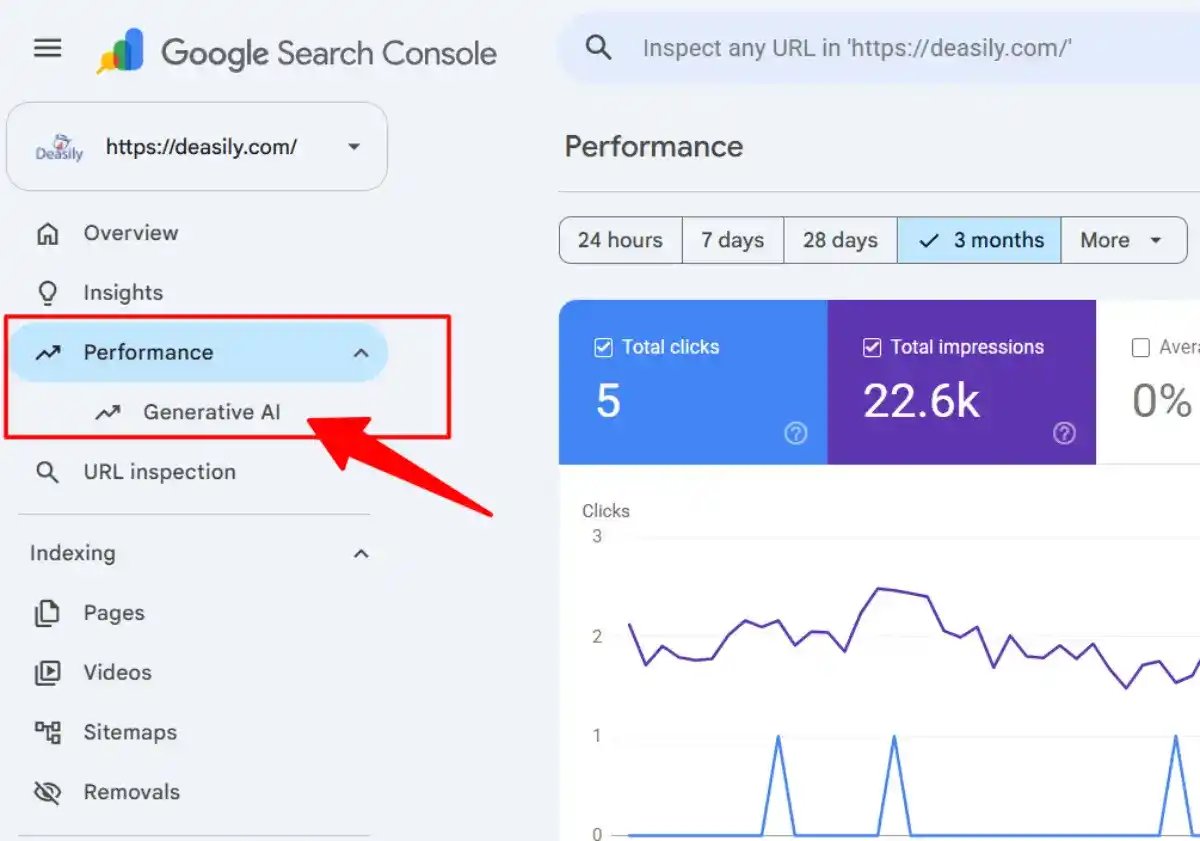
If you are unable to see the option, it means your site is either not receiving impressions on Search, or you need to check the settings.
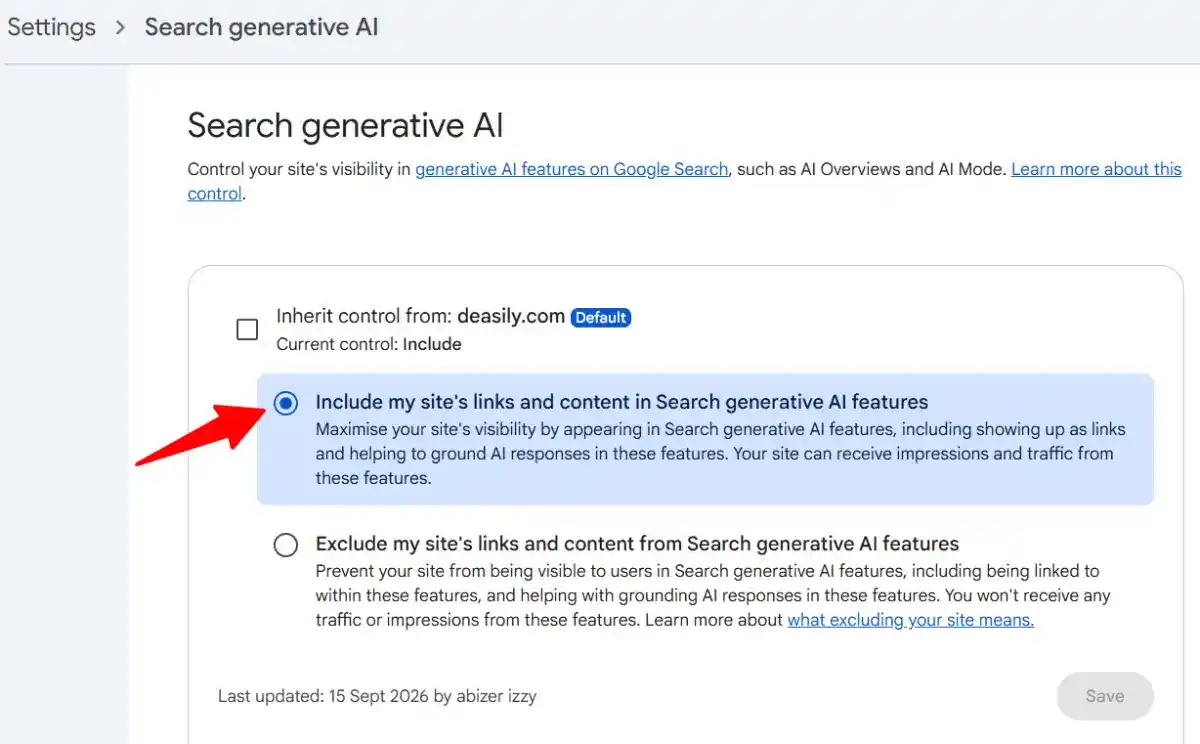
➡️ Step 2: To include your site in Google Search Console Generative AI features, go to Settings> AI controls.
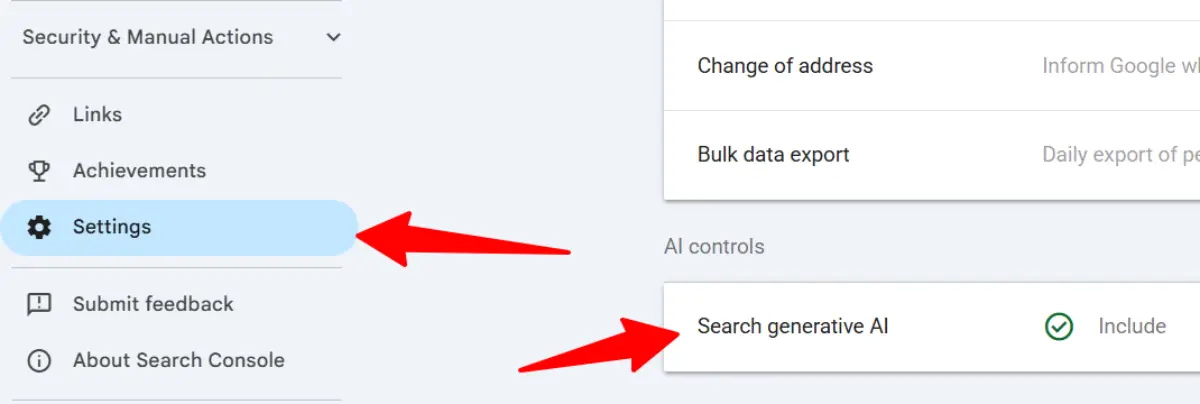
The default option selected would be “Inherit control from: site.com”
➡️ Step 3: Change it to “Include my site’s links and content in Search generative AI features”.
How to Analyze Google Search Console Generative AI Performance?
The Generative AI report in GSC displays page URLs. You can analyze the pages that receive high impressions and from which countries and devices.
You can check this data for a week, month, 3 months, 6 months, individual dates, or even for a year (similar to traditional performance reports).
If you want to share the data with your team or clients, you can export it in a CSV, Google Sheet, or Excel.
Do AI Overview clicks count in Search Console?
Yes. Google’s Search documentation states that AI Overviews are counted and logged in Search Console’s Performance report.
An impression in the AI report means your link was displayed. A click means a user selected the link and visited your website.
Google Search Console Generative AI vs Traditional Search
| SEO Factor | Traditional Search | Generative AI Search |
| Search experience | Default Google search performance | AI Overviews, AI Mode & Discover |
| Search Console report | Traditional search performance report | Generative AI performance report |
| Main metrics | Queries, clicks, impressions, CTR, pages, countries, devices, and dates. | AI impressions, pages, countries, devices, and dates. |
| Search intent | Focus on the user’s query | Address the query + related follow-up questions |
| Visibility | Ranking in SERPs | AI Citations |
| SEO success | Rankings + traffic + conversions | AI visibility + traffic + conversions |
| Export Data | Yes | Yes |
| Graphical View | Shows clicks and impressions | Shows only impressions |
Can Google Search Console Generative AI Track ChatGPT Traffic?
No. The Google Search Console Generative AI performance report allows users to view only Search & Discover data. It currently covers AI Overviews, AI Mode, and Google Discover.
If you want to track your site’s visibility in ChatGPT, Perplexity, and Copilot, you should subscribe to AI SEO tools like Ahrefs and Similarweb. On the contrary, you can check out Ahrefs alternatives and Similarweb alternatives.
If none of the above was useful, try Semrush AI toolkit with a 7-day free trial.
Disclosure: We might earn a commission when you sign up via our Semrush affiliate link.
Conclusion: Is the GSC AI Report Useful?
There are many AI visibility tracking tools, but all are paid ones. With the GSC generative AI performance report, you can at least track your site’s visibility in Search & Discover for free.
With the worldwide rollout completed on August 31, 2026, it’s worth adding the Generative AI Performance report to your regular SEO workflow.
Compare the traditional performance data with the generative AI data to understand which pages are gaining visibility on AI Search.
FAQs | Google Search Console Generative AI Performance Report
When did Google roll out its Generative AI Performance report?
Google rolled out the AI report to all websites worldwide on August 31, 2026.
Can I see which pages appear in AI Overviews?
Yes. The Pages tab shows URLs that received impressions from generative AI features.
Does Google Search Console track ChatGPT traffic?
No. Google Search Console’s Generative AI report measures Google’s own AI search features. ChatGPT and other external AI referrals require separate analytics data.
Why can’t I see the Generative AI report?
There might be 2 reasons for not being able to view the AI report. First, your property may not have received enough impressions in Search or Discover. Second, your site’s generative AI settings might not have been turned on.
Can I download the generative AI data?
Yes, you can export the data in a table format just like the traditional performance report. This includes impressions, pages, countries, devices, and dates.
Can I monitor backlinks in Generative AI?
No, Google Search Console doesn’t offer backlink monitoring features. For that, you will have to sign up for backlink monitoring tools like Semrush or Ahrefs, etc.