Are you still facing ISP blocks and restrictions while connecting to Telegram?
Telegram has been restricted in many countries, but don’t worry, as we have got you covered with the best free MTProto proxies for Telegram.
Due to direct integration and fast server response time, MTProto remains the most popular Telegram-focused proxy protocol.
Whether you are looking for the best MTProto proxy for Telegram Android, a SOCKS5 proxy for Telegram free, or a fast proxy for connecting to Telegram, this guide covers everything.
Table of Contents
What Is an MTProto Proxy?
An MTProto proxy is Telegram’s proprietary proxy protocol designed to bypass censorship and improve Telegram connectivity.
Unlike standard HTTP(S) and SOCKS5 proxies, fresh and reliable Telegram MTProto proxies work only for bypassing Telegram bots.
Which proxy protocols does Telegram support?
Telegram supports 2 proxy protocols, namely MTProto and SOCKS5. Out of these two, the best free proxy for Telegram is MTProto.
What is the use of a proxy in Telegram?
A proxy bypasses censorship and connects you to the Telegram server directly.
Comparison Table of MTProto vs SOCKS5 vs HTTP/HTTPS Proxy
| Feature | MTProto Proxy | SOCKS5 Proxy | HTTP/HTTPS Proxy |
| Specifically Built for Telegram | Yes | No | No |
| Speed | Very Fast | Fast | Moderate |
| Encryption | Native Telegram encryption | Good | Limited |
| Telegram App Support | Built-in | Built-in | External only |
| Best For | Bypassing Telegram blocks | Telegram, YouTube, Instagram, etc. | Web scraping |
| Reliability | High | High | Medium |
| Android/iOS Support | Excellent | Excellent | Limited |
| Multi-account Usage | Moderate | Excellent | Weak |
| Recommended for Telegram | Yes | Yes | No |
Is the proxy for Telegram MTProto safe?
Millions of users are using MTProto proxy for Telegram as it is free to use, built into Telegram, and supported by Telegram.
Best MTProto Proxy List for Telegram Free In 2026
1. Proxy MTProto
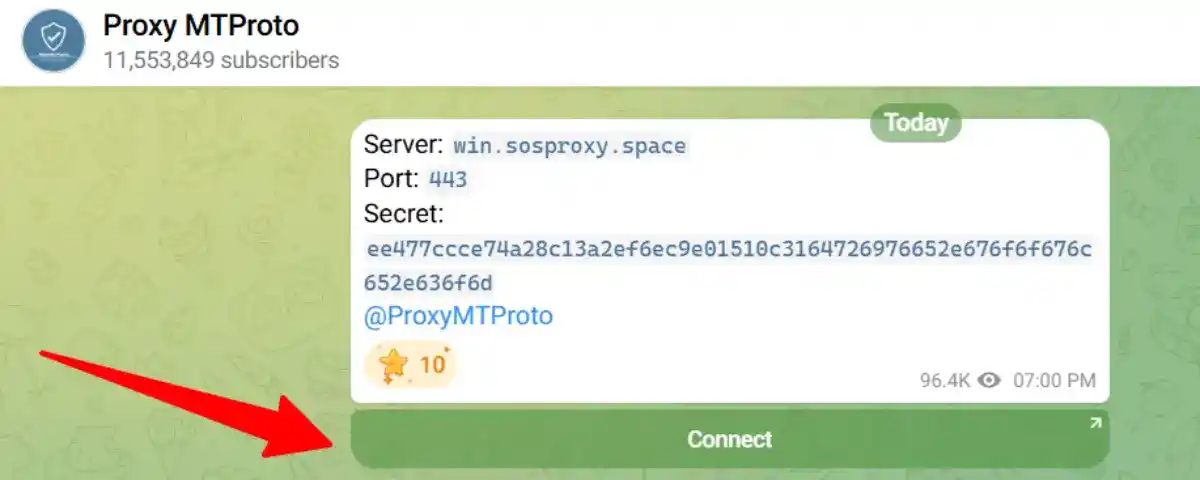
ProxyMTProto is one of the largest public and Free MTProto proxies for Telegram with millions of users worldwide.
Why Choose Proxy MTProto?
- Fast MTProto proxies for Telegram.
- The Telegram proxy list is updated daily on the channel.
- Server, port, and secret key are shared directly in the chat.
- One-click connect option.
2. MTPro.XYZ
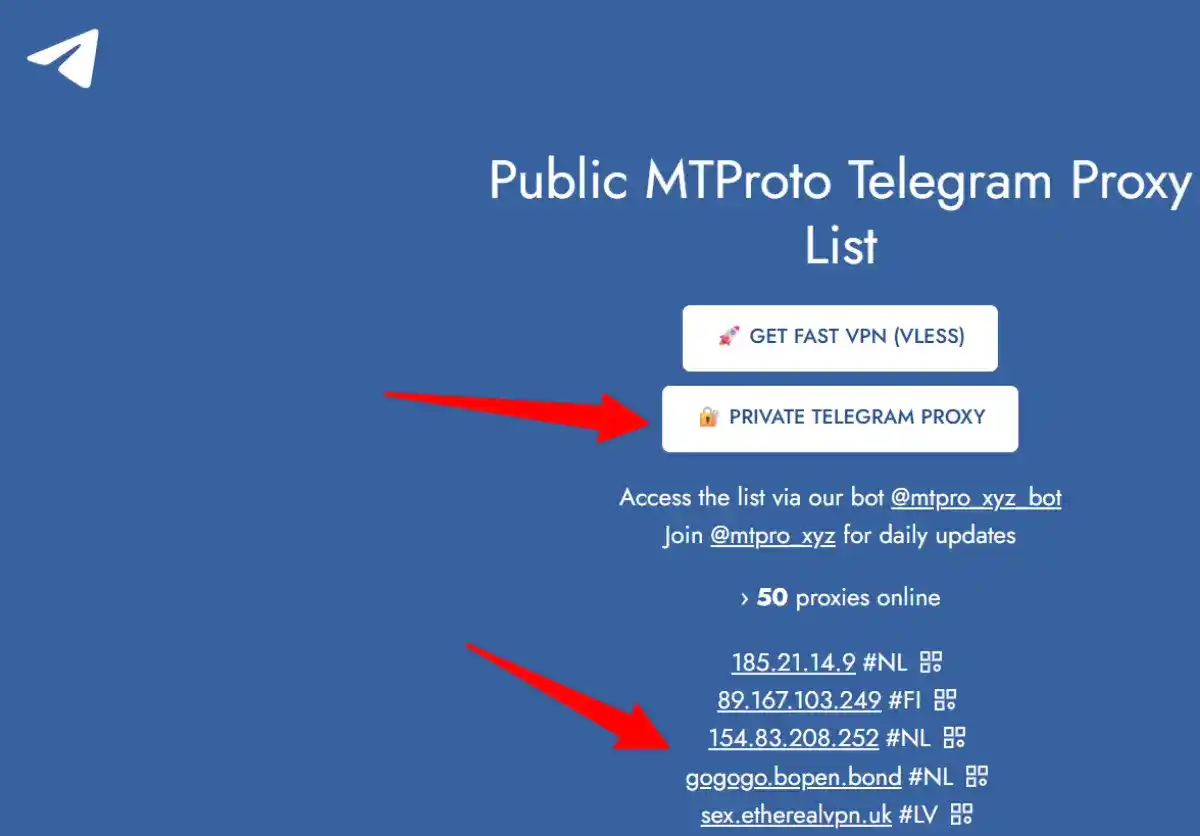
MTPro provides over 75 free Telegram proxies on its website. The site has been supporting cheap proxies for Telegram since 2018 and accepts donations in cryptocurrencies.
Why Choose MTRPro?
- Fresh and reliable Telegram MTProto proxies.
- SOCKS5 and private proxies are also available.
- Paid personal proxy servers with the lowest prices in the market.
- Proxies get activated automatically after the payment.
- No minimum purchase required; start with just one proxy.
- Paid proxies support HTTPS and SOCKS5.
3. GitHub MTProto Proxy Lists
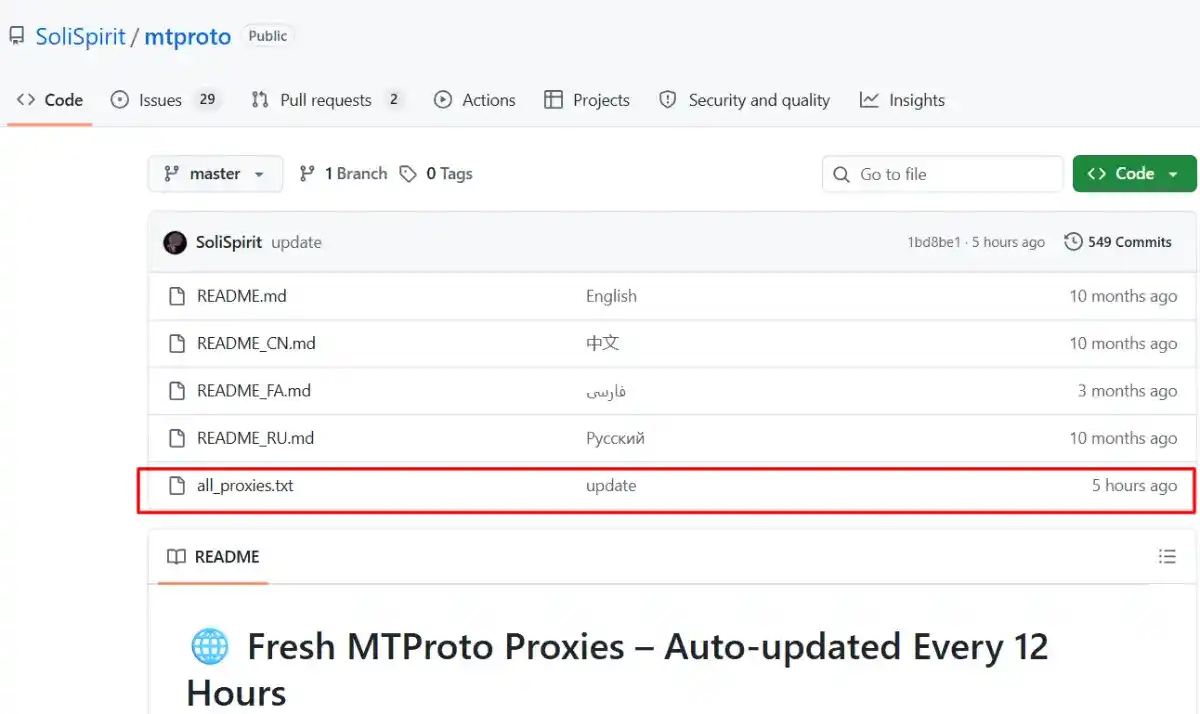
At the GitHub repository, you will get fresh Telegram MTProto proxies updated every 12 hours automatically.
Why Choose GitHub MTProto Proxy Lists?
- Daily updated open-source MTProto proxy list.
- A single file of all_proxies.txt containing Telegram proxy server details.
- No ads and clutter-free proxy addresses.
- Verified proxies are published every 12 hours.
- Simple copy/paste into Telegram settings.
The repository claims proxies are updated automatically every 12 hours.
4. MTR Proxy
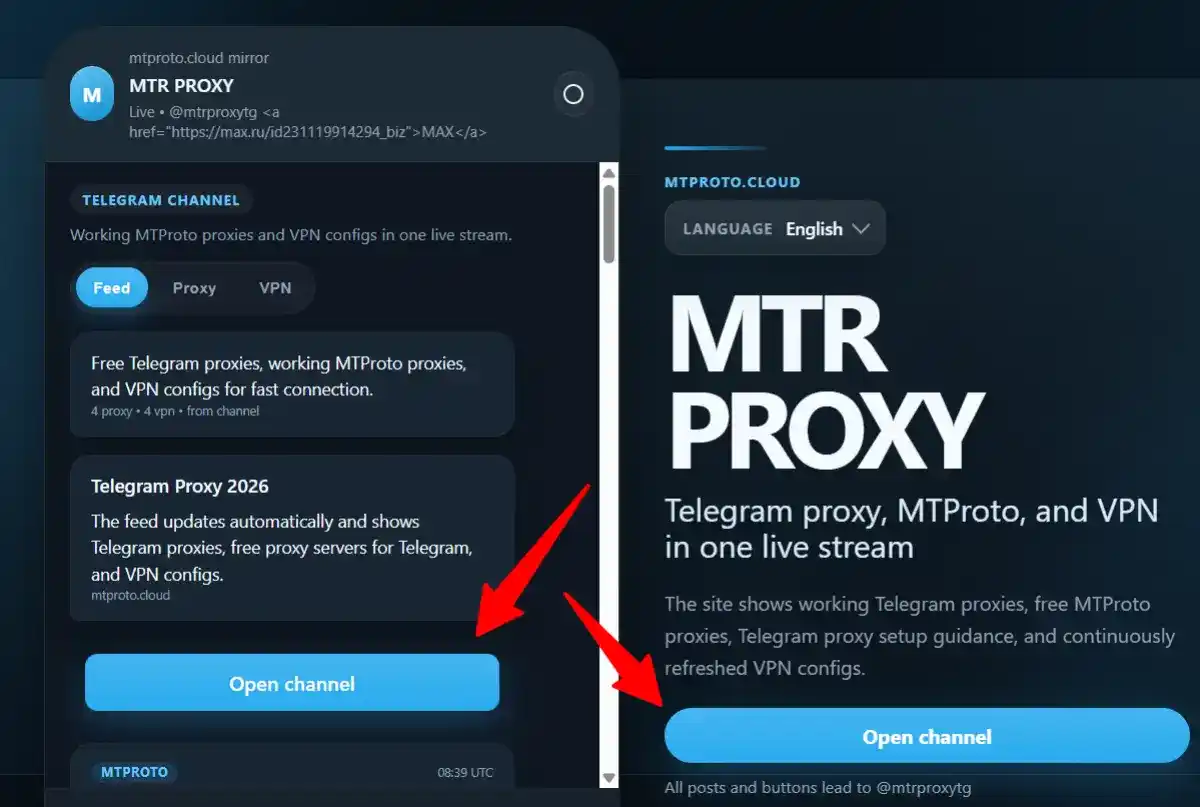
The site shows working Telegram proxies, MTProto, and fresh VPN configs.
Why Choose MTR Proxy?
- Updated free MTProto proxies for Telegram on the channel.
- Telegram proxy setup guides for Android, iPhone, and desktop.
- QR code shared on the channel for working Telegram proxy servers and VPNs.
- VMess, VLESS, Shadowsocks, Trojan, and SSTP configs.
- Shows status and Latency along with server, port, and Secret details.
How to Set Up a Proxy in Telegram Desktop?
➡️ Step 1: Download the Telegram app for Windows and install it. Open the app and go to Settings by clicking the three dots.
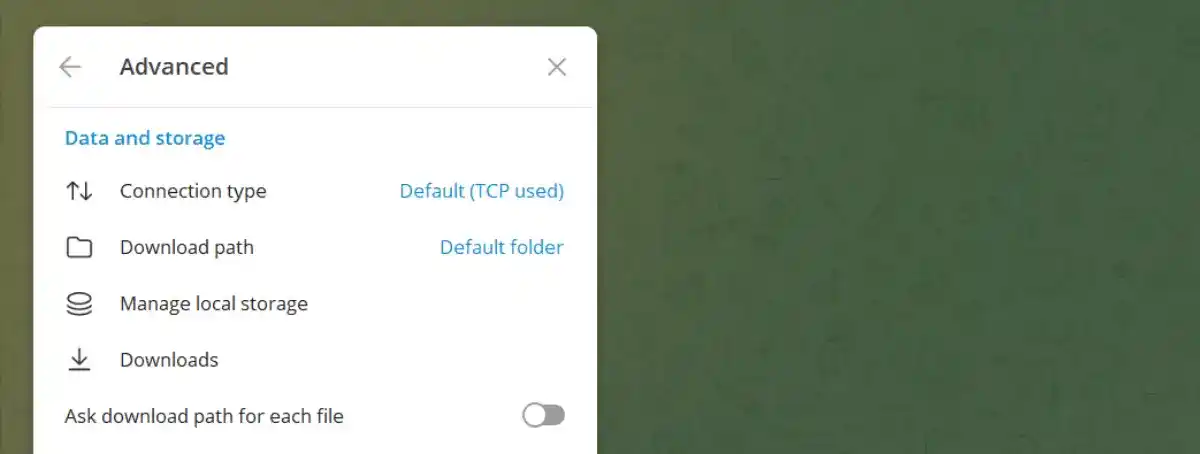
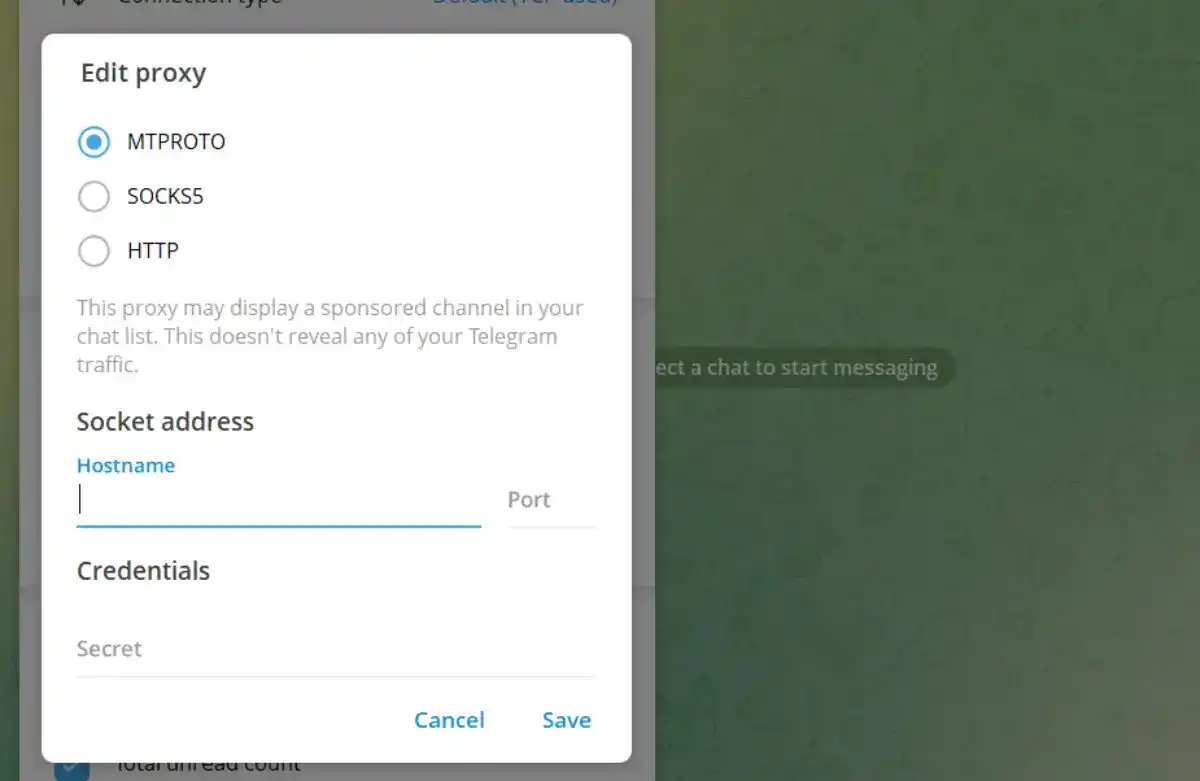
➡️ Step 2: Under Advanced Settings, go to Connection type and select MTProto, SOCKS5, or HTTP. When choosing MTProto, enter the Hostname, Port, and Security details and click on Save.
Watch my YouTube video where I have shown these steps clearly.
How to Set Up a Proxy in Telegram Android?
Step 1: Download the Telegram app via the Play Store and install it. Open the app and go to Settings>Data and Storage.
Step 2: Scroll down, and you will see Proxy Settings. Click on it and toggle to enable the proxy. In the Android app, you will see SOCKS5 Proxy and MTProto Proxy, but no HTTP Proxy option.
Step 3: Choose MTProto Proxy and enter the free MTProto proxy details for Telegram, including server, Port, and Secret.
Which Is The Best MTProto Proxy for Telegram Android?
The best MTProto proxies for Telegram are Proxy MTProto and MTPro.XYZ and MTR Proxy.
What are the advantages of using Telegram proxies on Android?
- Direct access to Telegram proxy settings on Android.
- Copy/paste server, port, and secret details.
- Fast switching between proxies.
How to Set Up a Proxy in Telegram iOS?
Step 1: Download the Telegram app via the App Store and install it. Open the app and go to Settings>Data and Storage.
Follow the same steps as those for Telegram Android.
Which Is the Best MTProto Proxy for Telegram iOS?
The best free MTProto proxies for Telegram iOS are MTR Proxy, Proxy MTProto, and verified and working SOCKS5 proxy providers.
Tips for Telegram iOS users:
- Use only trusted Telegram proxy lists.
- Prefer Telegram connect links.
- Avoid random HTTP(S) proxies.
Why Is MTProto Better for Telegram Restrictions?
MTProto is specifically designed for Telegram, and you won’t find the MTProto proxy option on any other social media platforms. This helps users:
- Bypass censorship,
- Fast server connection
- Free and easily available.
Can I get a SOCKS5 Proxy for Telegram for free?
If you need high anonymity beyond Telegram, SOCKS5 is often better. Not sure if you can get SOCKS5 free proxies, but you sure might get a free trial from known proxy providers.
Advantages of SOCKS5 proxies:
- Faster than HTTP(S) proxies.
- Highly anonymous.
- Compatible with modern browsers and 3rd-party tools.
- Ideal for managing social media accounts and Telegram censorship in some countries.
MTProto Proxy vs VPNs: Why is MTProto better than VPN?
- Bandwidth usage is low compared to VPNs.
- Telegram loads faster.
- No complex setup, simple copy/paste the proxy server, port, and security into the Telegram app.
These are some of the top reasons why MTProto remains the preferred Telegram proxy protocol in many restricted countries.
What’s the Difference Between Proxies and Antidetect Browsers?
There’s no doubt about the speed and anonymity of MTProto and SOCKS5 proxies, but proxies alone do not hide browser fingerprints. This is where anti-detect browsers play a vital role.
Antidetect browsers help isolate:
- cookies,
- fingerprints,
- sessions,
- browser identities.
Why is browser fingerprinting important?
Browser fingerprinting helps in:
- Telegram automation.
- multi-account management.
- Ad verification and managing ad campaigns.
Which is the best AntiDetect Browser for Android?
Multilogin, AdsPower, GoLogin, and BitBrowser are some of the top AntiDetect browsers for Android and iOS.
Conclusion: Do you really need an MTProto proxy server?
If you simply want to access Telegram restricted in your country or other regions, MTProto is undoubtedly the best choice. This is because MTProto proxies are free, fast, and easy to configure in Telegram.
SOCKS5 proxies are needed for multi-account management, automation, sneaker botting, web scraping, and antidetect browser compatibility.
FAQs | Best Free MTProto Proxy Telegram
What is a good MTProto proxy?
An MTProto proxy is an official proxy protocol for Telegram, designed to bypass bots and restrictions. Thus allowing users to connect to Telegram anonymously and securely.
What is the difference between MTProto and SOCKS5 proxies?
MTProto is a protocol built specifically for Telegram, while the SOCKS5 protocol works with Telegram, Instagram, YouTube, and other platforms.
Are free Telegram proxies safe?
Free MTProto proxies for Telegram cannot be used every time, as there could be security concerns. A good proxy for Telegram includes Bright Data, Decodo, Proxy-Seller, etc.
Which is the best MTProto alternative for Telegram?
SOCKS5 and HTTP are supported by Telegram, but SOCKS5 is the best MTProto Telegram alternative.
Can I use an MTProto proxy for TradingView?
No, MTProto is designed specifically for Telegram, but you can find TradingView proxies by choosing a SOCKS5 or HTTPS proxy server.
Can MTProto proxies be used for Janitor AI?
No, Janitor AI proxies are different than MTProto.
Does an MTProto proxy work for Instagram?
No, it won’t, as it is designed specifically for Telegram. You can use an Instagram proxy server that supports HTTP(S) and the SOCKS5 protocol.
Can I use an MTProto proxy for LinkedIn?
No, MTProto is specifically designed for Telegram, but you can find the best proxy for LinkedIn, free and paid.